Subtotal ₹0.00

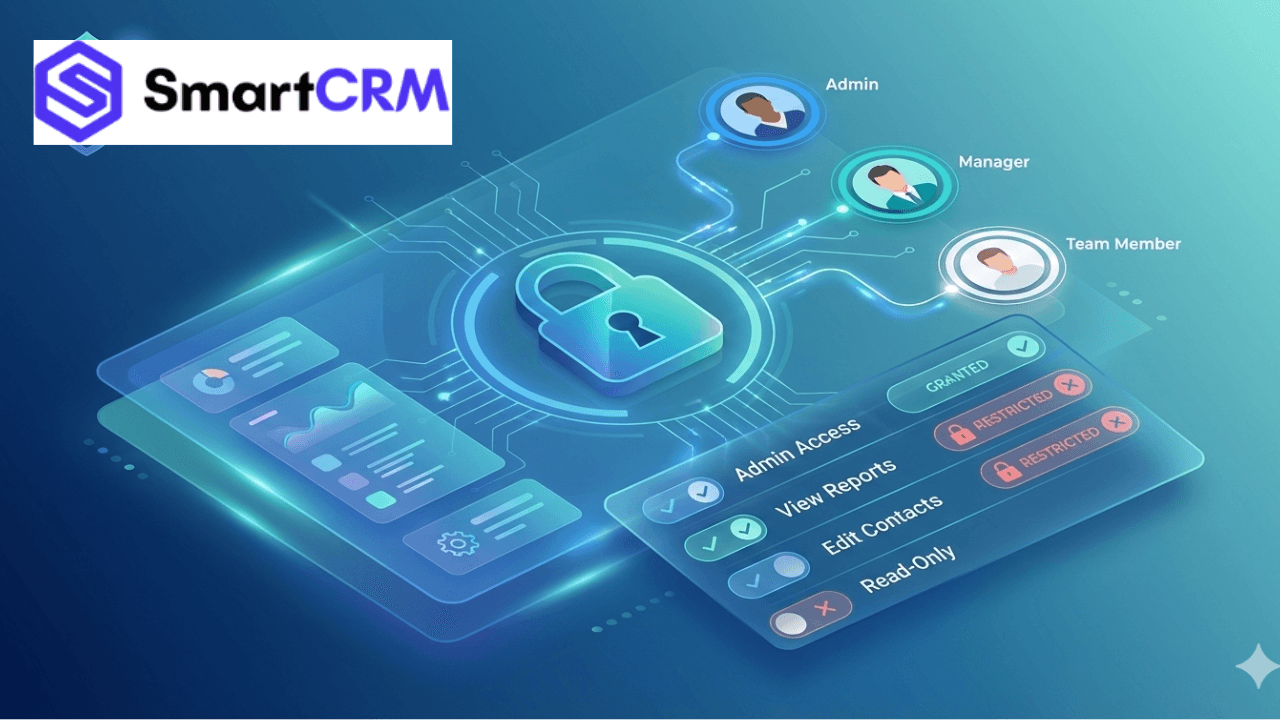
In the expanding businesses of today, the security of data and clarity of roles are equally vital as productivity. When several team members use the same CRM system, unlimited access can swiftly result in confusion, mistakes, or even data abuse. This is why a robust permission and user role system is crucial.
SmartCRM, created by Growbeint, provides an organized and adaptable permissions system that enables companies to regulate who can view, modify, authorize, or oversee particular data within the CRM. Regardless of whether you operate a startup, agency, consultancy, or corporate team, SmartCRM guarantees that the appropriate individuals have the proper access—no more, no less.
This manual details the functioning of SmartCRM permissions and user roles, their significance, and how companies can utilize them efficiently

The Importance of Permissions and User Roles in a CRM
A CRM system contains confidential data such as:
Customer information
Revenue figures
Monetary documentation
Private remarks
Metrics for team performance
Without adequate access control, companies face the danger of:
Data breaches
Unintentional modifications or removals
Confusion within
Absence of responsibility
SmartCRM addresses this by enabling administrators to establish distinct user roles with defined permissions, guaranteeing operational clarity and security.
What Are User Roles in SmartCRM?
User roles in SmartCRM determine the access a user has and the actions they are able to take within the platform.
Rather than granting total access to all, SmartCRM enables companies to establish defined roles such as:
Administrator
Administrator
Colleague
Sales Representative
Assistance Personnel
Finance User
User Perspective
Every role comes with set or configurable permissions that correspond to job duties.
Key User Roles in SmartCRM
1. Admin RoleAn Admin is the one who holds absolute power over the CRM.
Some of the most important Admin permission are:
Creating and deleting users Changing roles and permissions Setting up the system configuration Accessing any module Visualizing financial data Getting reports and analytics. Usually, this role is reserved for the top, level administrators or the owners of the business.
2. Manager Role Managers must be in the loop and have the ability of controlling the system, but not fully.
Some of the Manager permissions are:
Seeing team tasks and projects, Assigning work, checking on progress, accessing reports, and having limited financial visibility, Managers are able to successfully lead their teams without the threat of making system-level changes.
3. Team Member Role
Having no concern for the administrative part, team members are responsible for the execution.
Some of the team member operations are:
Tasks and projects assigned to them Client notes relevant to them Uploading files Updating tasks Comments and collaboration tools. They are restricted from seeing confidential data or system settings.
4. Sales Role
Sales users require access to leads and deals and not to everything else.
Sales permissions are:
Lead and contact management
Sales pipeline access
Notes and follow-ups
Quotation creation
Limited reporting
This ensures sales teams stay focused while data remains protected.
5. Finance Role
Financial data needs to be protected by strict access control.
Finance users are allowed to:
Invoice creation and managementTracking of paymentsFinancial reportsTax and billing modules
They are not allowed to access internal project notes or sales strategies.

Custom Permissions: Business, Level Flexibility
SmartCRMs ability to create custom roles is its one major advantage.
By the means of their software tool, companies can:
Introduce new roles
Switch on or off module access
Set read, only or editing rights
Impose financial or admin data restrictions
Manage department, wise visibility
With these features, SmartCRM can cater to large and small businesses indifferently.
How Permissions Enhance Team Performance
Unambiguous permissions empower teams to accelerate the work flow rather than being time, consuming.
Some of the advantages are:
Greater understanding of areas of responsibility
More prompt decision, making
Decline in the number of errors
Enhanced accountability
More efficient working methods
When employees have narrowed down their view to only what is necessary, they take more initiative and act with self, assurance.
Security Benefits of SmartCRM Role Management
In general, data protection becomes more and more an imperative, especially for businesses that are in possession of information regarding clients or finances.
Before the data breaches become real, SmartCRM takes precautionary steps such as:
Situations requiring deliberate fetching of necessary data are avoided by having in place proper access control
Quietening down data, sensitive persons by limiting their access capabilities
For quick events, logs many activities
For less securing, unveiling user errors as much as errors made by them
Use Cases: How Businesses Use SmartCRM Roles
For Agencies
Admin has control over everything
Project managers have a bird’s eye view of the work
Designers/content teams are only given access to their
Finance department deals with the company’s account
The consultant gets to see the entire client data
The assistant is in charge of the schedule
Finance department is in charge of invoices
Clients have limited access to the updates
For Growing Startups
Founders are the admins of the system
Sales people use the system to track potential
Operations is in charge of project management
HR is granted access to employee data
SmartCRM fits any organizational framework.
How to Set Up User Roles in SmartCRM
The process of establishing roles is very straightforward:
First and foremost an Admin logs in
The section for User Management is then visited
Roles can either be created or modified
By assigning module, level permissions
Start users and their roles
Do not forget to look at your permission
The steady expansion of the workforce
Best Practices for Using Permissions Effectively
Access should be minimal i.e.
Roles and responsibilities should be reviewed on every quarter
Try not to give away admin privileges unnecessarily
In cases where it is possible, use read, only rights
Write down the role definitions in a way that can be easily
These steps are security and efficiency enhancers.
Why SmartCRM Stands Out for Access Control
SmartCRM by Growbeint, in contrast to standard CRMs, is specifically designed to meet the actual operational demands of a business. The system of assigning permissions it has is very well balanced between being secure, flexible and user, friendly which makes it perfect for modern teams.
Final Thoughts
Permissions and user roles are not just technical features—they are essential tools for business growth, security, and clarity. SmartCRM empowers businesses to control access smartly, reduce risks, and improve teamwork.
If you want a CRM that grows with your team while keeping your data safe, SmartCRM delivers exactly what modern businesses need.
