Subtotal ₹0.00

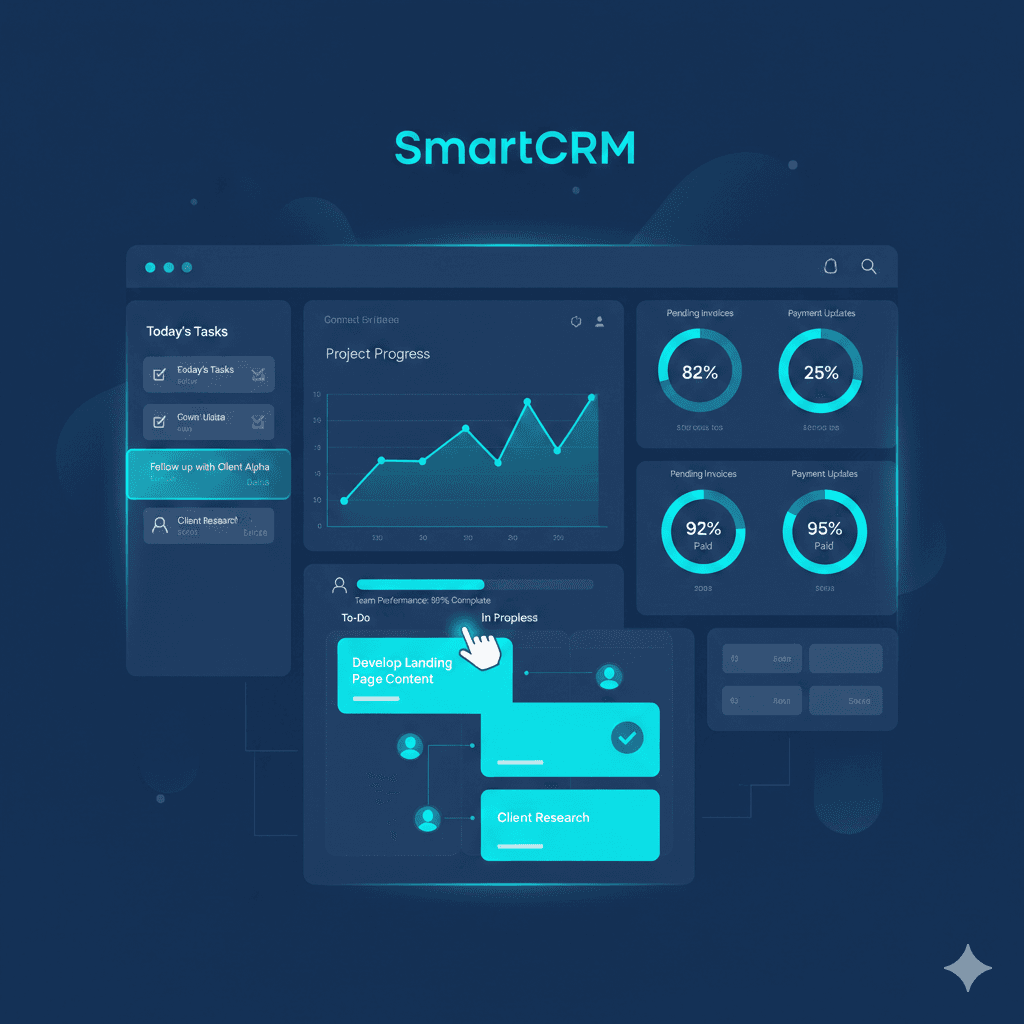
Learn how SmartCRM helps teams manage daily tasks, improve productivity, and streamline client work. A friendly guide for businesses, agencies, and Growbeint users looking to scale with a powerful CRM.
Why SmartCRM Is a Good Fit for Your Team
Overseeing an expanding business. Be it a group or a mid-level company. Involves handling numerous duties: client follow-ups, billing, quotes, payments, meetings, internal messaging and, beyond. This is where SmartCRM excels. It consolidates business operations in a single platform. Simplifying team collaboration preventing disorder and boosting efficiency.
Here are the key benefits in simple terms:
All-in-one solution — Instead of using separate tools for tasks, clients, finances, quotes, and invoices, SmartCRM bundles everything together.
Saves time & reduces manual work — By centralizing data and automating common processes (like generating invoices or converting quotations to orders), teams don’t have to manually track everything.
Better visibility and accuracy — With dashboards, reports, and organized customer data, your team has a clear view of ongoing projects, payments, client history, and pending tasks.
User-friendly & easy to adopt — SmartCRM claims to have an intuitive interface and workflow — reducing the learning curve.
What SmartCRM Provides. Key Features and Components
Unified Dashboard & Client / Order Management

SmartCRM provides a strong, centralized dashboard that integrates all major business modules.
Quotation Management — Create professional, customizable quotations quickly.
Order Management — Convert accepted quotations into orders, track order status, edit or cancel orders if needed.
Customer & Client Management — Maintain records of clients/customers, track all interactions and histories, across all channels.
Invoice & Payment Handling — Generate invoices, track payments and receivables, manage finances — all within CRM.
This integrated method guarantees that no detail is overlooked. Be it a payment awaiting processing, an invoice past due or an update, on a customer order.
Managing Internal Work: Tasks, Projects, Teams & Collaboration

SmartCRM isn’t just about clients and orders — it supports internal team management and daily operations too. On the pricing page of smartcrm.in, some of the modules listed include: tasks, meetings, chat, notes, to-dos, contracts, payslips, finance.
This implies:
You have the ability to allocate and monitor tasks and to-dos, for team members.
Use internal chat or notes to discuss work or leave instructions.
Monitor. Agendas to ensure everyone attends crucial calls or engagements.
Manage contracts and payslips, essential for teams with payroll or contractual employees.
Manage projects and clients. Particularly beneficial if your company handles clients or continuous contracts.
For groups. Be they small, medium or large. This simplifies coordination. Lessens the dependence, on outside project management software.
How SmartCRM Enhances Efficiency & Reduces Expenses
Using SmartCRM regularly gives several tangible advantages:
Lowered manual effort. Eliminates the requirement, for spreadsheets, distinct invoicing applications or fragmented tools. All components are centralized in a location.
Fewer errors — Centralizing data reduces chances of duplicate entries, lost invoices, or missing client history.
Processes. Transforming quotes, into orders creating invoices monitoring payments. All turn swift and efficient.
Enhanced clarity. Supervisors or managers receive a summary: who is responsible, for what tasks, what remains unfinished which payments are late and additional details.
Scalable as you grow — Because SmartCRM supports multiple modules and users, it fits well whether you’re a small startup or a growing company
In brief: your team spends time switching among tools. More tasks are completed precisely and effectively.
Which Option Suits You Best. Basic Pricing Summary
According to the pricing page of SmartCRM:
Starter Up to ~100 projects, 100 clients, 10 team members — modules: tasks, notes, meetings, chat, todos, contracts, payslips, finance.
Standard More resources: ~500 projects/clients, multiple workspaces.
Professional / Enterprise / Ultimate Full scalability — suitable for businesses with large teams, many clients/projects/workspaces.
This adaptability ensures you avoid overspending, in the phases. And have the ability to expand as your business develops.
Practical Situations: The Daily Advantages, for Teams
Picture your company handling bespoke design and delivery. You receive inquiries provide estimates confirm orders, process payments, ship products and oversee accounts.
With SmartCRM:
Create a quote. Forward it to the client. Once approved convert it to an order, with a single click.
Monitor order progress make updates (comments, messaging, team allocations).
Upon completion, generate invoice and record payment — all in CRM.
Keep full history per client (orders, payments, communications) — helpful for future orders or support.
If you oversee a group of sales representatives, designers and delivery personnel. Delegate responsibilities, monitor dates and handle payroll and payslip management.
For multiple ongoing projects and clients — manage in separate workspaces to avoid mix-up.
All of this, without managing five tools. That’s the strength of SmartCRM.
What SmartCRM Does Not Represent
Although SmartCRM encompasses an array of functions (sales orders, invoicing, team management) it might not substitute for specialized software in intricate situations. For instance robust accounting programs or sophisticated project management, with Gantt charts. If those capabilities are required supplementary tools could still be necessary.
Similar, to any CRM/ERP system maintaining data entry discipline is essential. CRM reaches its potential when all details (clients orders, payments) are accurately maintained.
It is important to make sure your team becomes proficient, in using the modules (tasks, invoices, chats) correctly. Otherwise the advantages could be restricted.
Benefits of Using SmartCRM for Daily Work
✔ Saves time
✔ Reduces errors
✔ Improves teamwork
✔ Makes client handling easier
✔ Speeds up invoicing
✔ Boosts productivity
✔ Keeps everything organized
✔ Helps businesses grow faster
For small teams, agencies, freelancers, and businesses like Growbeint — it’s the perfect tool.
Concluding Remarks. Reasons to Contemplate SmartCRM
If your company deals with managing customers orders, quotes, invoices. And you have a team that requires management. SmartCRM can transform your operations.
Combining functions into a single platform lowers overhead prevents redundancy and provides clear insight into your operations. It is particularly ideal for small, to midsized businesses, agencies, design & service firms or any organization managing multiple clients and projects.
Amidst a landscape cluttered with dispersed spreadsheets, numerous applications and email disorder. SmartCRM delivers ease, transparency and enhanced management.
Thinking of streamlining operations and reducing stress? SmartCRM might just be the all-in-one solution your team needs.
