Subtotal ₹0.00

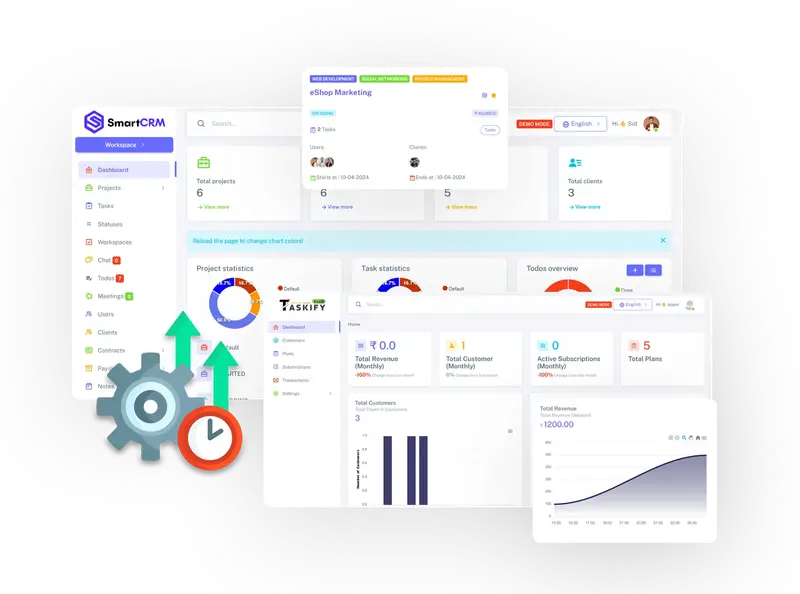
Hey there! If you’re feeling overwhelmed with to-do lists, scattered project files, or team chats that just go in circles, you’ve landed in the right place.
In 2025, staying organised is more than just a nice-to-have; it’s essential for accomplishing tasks without undue stress. That’s where SmartCRM comes into play – a user-friendly cloud-based platform designed to make project and task management feel like a breeze.
Don’t be misled by the “CRM” in the name – this isn’t just a sales tool. SmartCRM is a flexible hub for teams that want to organize projects, collaborate effectively, and keep everything on track. Whether you’re running a small startup or a growing agency, it’s all about saving you time and reducing headaches.
In this quick guide, we’ll go over the basics, explore its features, share some real-world applications, and highlight the immediate benefits you can expect. Let’s dive in!

So, What Exactly is SmartCRM?
SmartCRM is a cloud-based solution designed for project and task management, helping teams streamline workflows. Launched as an all-in-one platform, it centralises everything from task assignment to file sharing, allowing you to view the health of your projects at a glance via easy-to-use dashboards and reports.
What makes it stand out? It’s not cluttered with unnecessary features – just the essential tools you need for smooth organization and real-time collaboration. You can access SmartCRM from any device with internet, ensuring your team stays connected, regardless of location.
Official website: smartcrm.in (check it out to sign up and explore!)
Designed with teams in mind, SmartCRM has become popular among businesses in India and globally due to its affordability and user-friendliness. In 2025, as remote work continues to thrive, it’s a go-to choice for anyone tired of juggling multiple apps like Trello, Asana, or Google Sheets.
Key Features of SmartCRM (What Makes It Work)
SmartCRM comes loaded with features that support the entire project lifecycle. Here’s a summary of the key highlights, organized for your convenience:
Project and Task Essentials
Multi-Project Management – Manage and oversee up to 1,000 projects (depending on your plan) without the chaos.
Task Assignment & Tracking – Prioritize tasks, set deadlines, and track progress with easy drag-and-drop tools.
To-Do Lists & Todos – Quick checklists to break down larger goals into manageable actions.
Team Collaboration Tools
Real-Time Chat & Communication – Built-in messaging lets you discuss ideas, share updates, and tackle issues right away.
Meetings Module – Easily schedule, log, and follow up on team meetings with integrated notes.
File Sharing – Securely upload, store, and collaborate on documents within projects.
Advanced Organization
Notes & Documentation – Keep track of ideas, meeting notes, and important information in searchable documents.
User Management – Set roles, permissions, and access levels to ensure security.
Workspaces – Customize spaces for different teams or clients, with limitless options on higher plans.
Reporting & Insights
Dashboards & Reports – Get visual snapshots of project status, team workload, and performance metrics.
Finance & Contracts Tracking – Handle payslips, invoices, and agreements right within the platform.
Customizable Views – Tailor reports to focus on what’s important for your workflow.
No steep learning curve here – the intuitive interface means your team can get up to speed in no time.
Who Uses SmartCRM? Real-Life Applications
SmartCRM is a great fit for teams of all sizes, particularly in creative, consulting, and service-driven fields. While specific success stories aren’t listed on the site, here’s how it’s typically used:
- Freelancers and Solopreneurs
Keep track of client projects, invoices, and deadlines on your own – no need for a full team setup.
- Marketing Agencies
Coordinate campaigns with chat, notes, and file sharing; use contracts for client approvals.
- Software Development Teams
Assign tasks, log meetings, and monitor sprints using to-dos and progress reports.
- Consulting Firms
Manage multiple clients in separate workspaces, track finances, and securely share documents.
- Small Businesses in Operations
Handle internal projects like HR (payslips) and finance alongside everyday tasks.
- Event Planning Groups
From vendor contracts to day-of checklists, keep everything organized in one hub.
Just imagine ditching endless email threads for a single chat window – that’s the magic for collaborative teams.
The Real Benefits of SmartCRM (Why Teams Keep Coming Back)

Making the switch to SmartCRM isn’t just about all those features; it’s about real results. Here’s what users appreciate the most:
Increased Productivity – Reduce app-switching and save time; teams often report up to 30% faster task completion.
Enhanced Teamwork – Real-time updates lead to fewer misunderstandings and let the creativity flow.
On-Time Delivery – Visual dashboards help identify delays early, keeping you on track with budgets and timelines.
Cost-Effective – Affordable plans that can replace multiple tools (think chat apps + spreadsheets + file storage).
Scalability – Start small and expand as needed; unlimited updates keep you current without extra charges.
Secure and Reliable – Your data stays protected with encryption, backups, and role-based access.
Stress-Free Setup – Premium support included, plus an easy log-in to get you going quickly.
One common refrain? “It’s like having a virtual project manager who never forgets a deadline!” In the fast-paced world of 2025, these benefits lead to happier teams and smoother operations.
SmartCRM Pricing in 2025 – Simple and Scalable
SmartCRM keeps things transparent with plans tailored to your team’s size. All include free unlimited updates and premium support – no hidden fees. Prices are in INR and offer monthly or yearly options (yearly saves you money!).
➡ Ready to pick a plan? Check pricing and buy now (or just log in to test it out!).
For most small teams, the Standard plan hits the sweet spot – unlimited workspaces mean you can segment clients easily.
| Feature | SmartCRM | Trello | Asana | Monday.com |
|---|---|---|---|---|
| Starting Price (INR/mo) | ₹100 | ₹400+ | ₹800+ | ₹500+ |
| Built-in Chat | Yes | No | Limited | Yes |
| Finance Tracking | Yes | No | No | Add-on |
| Unlimited Workspaces | Yes (higher plans) | Yes | No | Yes |
| Ease of Use Rating | 4.7/5 | 4.5/5 | 4.4/5 | 4.6/5 |
SmartCRM wins on value – especially for budget-conscious teams needing an all-in-one without extras.
Conclusion
SmartCRM is the straightforward project management tool that turns chaos into clarity. With its focus on collaboration, tracking, and insights, it’s ideal for teams ready to work smarter in 2025.
The best part? Jump in with a quick login – no long trials needed, just value from day one. If you’re dealing with missed deadlines or siloed info, this could be your game-changer.
Get Started with SmartCRM Today →
